Make a scale garden plan from a photo, scan or old drawing
Already have a plan on paper, from a builder or from CAD? Upload a picture of it, set the scale in two clicks, and trace over it.
Start planningFree · no sign-up · works in your browser
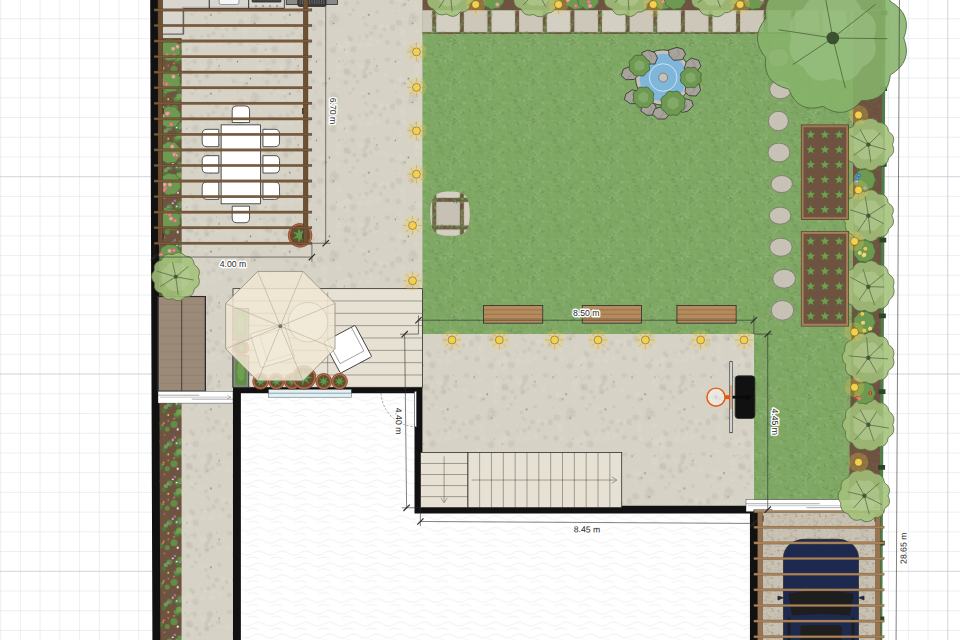
How it works
- Upload the imagePlans → New from a floor plan image, or the button on an empty plan. Photos, scans and screenshots all work.
- Set the scaleClick both ends of something you know the length of, like a wall with its size written on the plan, and type it. A slightly crooked photo can be straightened at the same time.
- Trace over itUse the wall, fence and surface tools on top of the faded image; it locks so it can’t move by accident.
- Design the restHide the image and carry on: add planting, furniture and paving, and look at it in 3D.
Why plan it this way
- No need to measure everything again: one known length scales the whole drawing.
- The image stays in your browser and is never uploaded or shared in plan links.
- Works with screenshots of PDF plans too.
What Garden Planner does
- Draw to scale: walls, fences and hedges, lawns, paving, decking, gravel, beds and ponds, with lengths and areas shown as you draw
- 60+ objects: trees and plants, garden furniture, an outdoor kitchen, a pool, hot tub, trampoline, pergola, shed, greenhouse, cars and more
- Walk around it in 3D, with the sun and shadows at any time of day, set to your garden’s north
- Print it to scale (1:20 to 1:500) with a title block, or save it as an image or SVG
- Share a link that opens the plan on any phone or computer; plans save in your browser and nothing is uploaded
Questions
- What if the photo is taken at an angle?
- Take it as square-on as you can. Small tilts can be straightened when you set the scale.
- Is it free?
- Yes. Garden Planner is free, with no ads and no sign-up.